
We have isolated this issue and found a conflict with COM Add-ins in Excel which cause Insight and other Excel files running VBA macros to crash upon "saving as" to an alternative file location.
If you are experiencing Excel crashes when trying to save your Insight file, disable add-ins that refer to Google (consider removing those altogether) and disable any add-ins that are not being used to resolve the conflict.
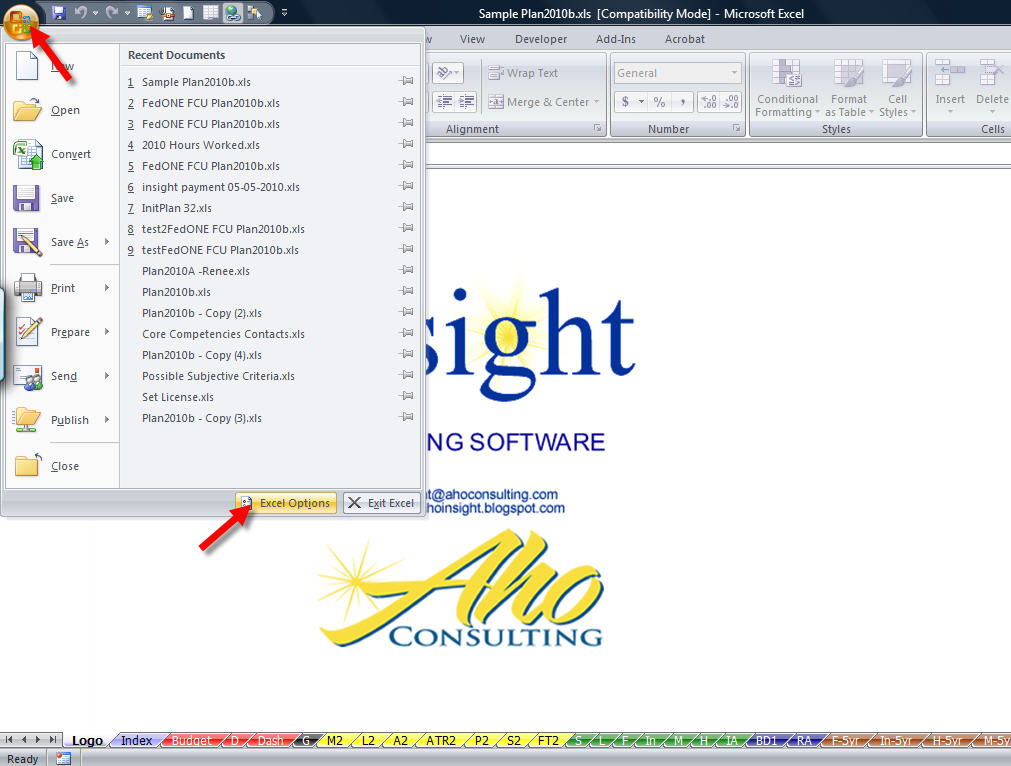
First click the Office Button and select Excel Options from the menu.
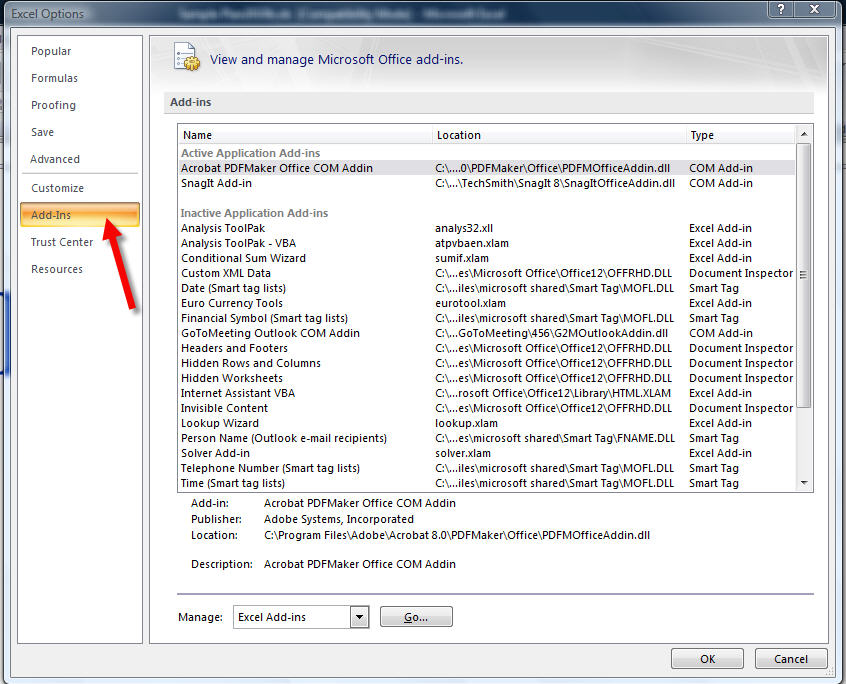
Navigate to the Add-Ins section.
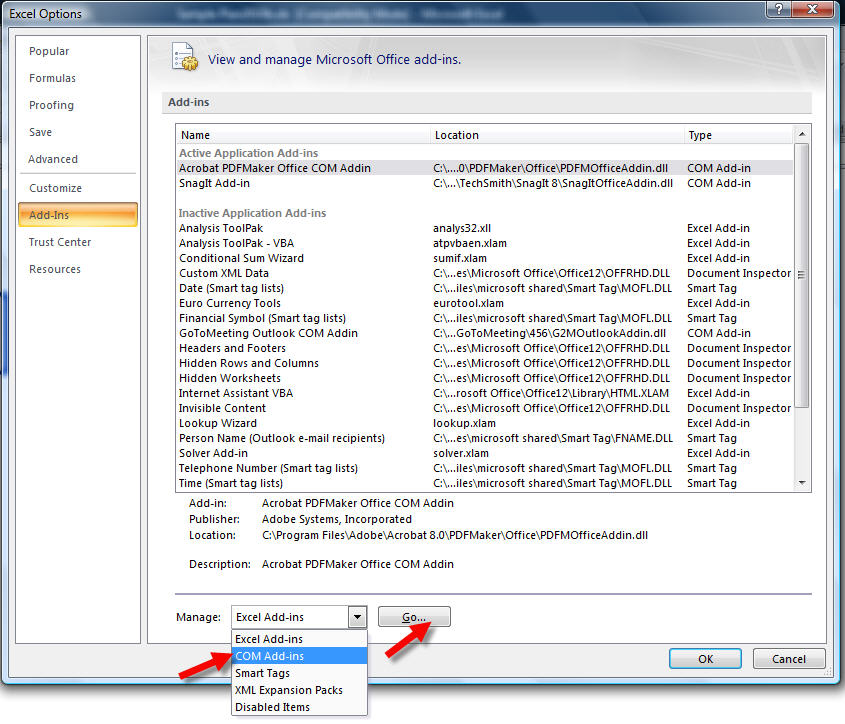
Select COM Add-ins from the Manage drop down box and click Go...
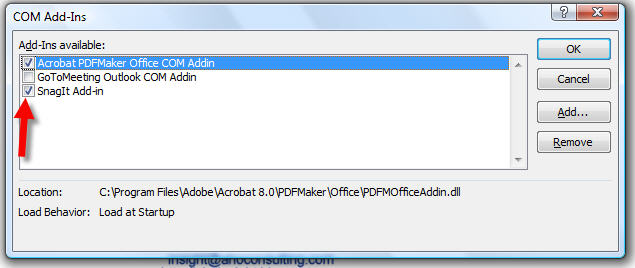
Review the list of COM Add-ins and disable any that you don’t regularly use by unchecking the box next to that Add-in. Click OK.
Close Excel. You should now be able to save your Insight workbook without crashing.


No comments:
Post a Comment
We appriciate your comments!